Read, ask, and take notes with WeiBei
WeiBei is a native macOS reading and note-taking workspace. Keep your document, AI conversation, and Markdown notes together, or expand any one of them to focus.
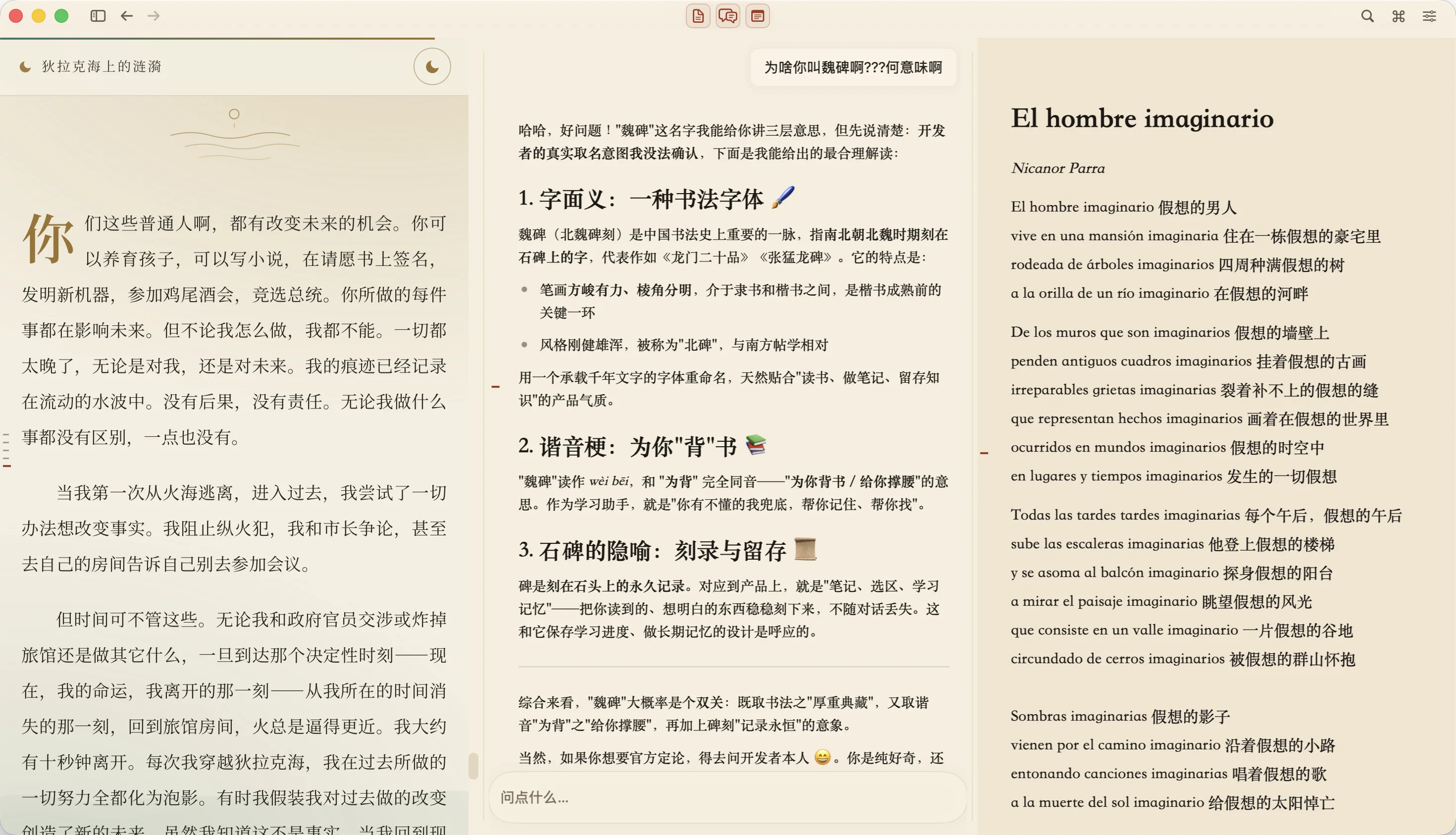
Read PDF, HTML, Markdown, and text files
Import a folder of materials as a course, open a document, and search across your course files. Use it for papers, course readings, or a collection of articles. Scanned PDF pages can be recognized on your Mac; large files may show a partial indexing status.
Ask about a passage and return to its source
Select a passage to ask a question while keeping the document in view. Answers can include references that take you back to the corresponding page or section. You can reopen a related conversation from an underlined passage in the original text and check an answer against its source.
Write Markdown notes beside your reading
Write notes with images, formulas, and code blocks. Read and write without connecting a model. When you ask AI to prepare a change to a note, WeiBei shows a proposal for you to review before it writes the change.
Local materials, optional AI
Courses, notes, the search index, and learning memory are stored locally. Online models receive the excerpts needed for your request; remote images and web content may also use the network. Choose your own provider, a custom OpenAI-compatible endpoint, or a local llama.cpp model. Provider fees and privacy policies depend on the service you choose.
Start using WeiBei on your Mac
WeiBei is in development and supports macOS 14 or later on Apple silicon and Intel Macs. Check GitHub Releases for available packages. If no package is available, run it from source with Xcode Command Line Tools and Swift 5.9 or later; the first build needs an internet connection.
git clone https://github.com/WroughtMind/weibei.git
cd weibei
./script/build_and_run.sh- Import a folder of your own materials and open a document.
- Read, search, and write a note beside the source.
- Connect a model in Settings when you want AI, then select a passage and ask a question.
Check available downloadsSource and build instructionsFrequently asked questions
About the project
WeiBei is maintained under WroughtMind. Its application code is open source under the MIT License; the name, logo, screenshots, and other brand materials have separate terms. You can follow development on GitHub or share a suggestion through the feedback page.